

TLDR
Poor desk posture doesn’t just strain your neck; it can trigger or worsen TMJ pain. Forward head posture, slouching, and habits like the “phone pinch” overload the same muscles that control your jaw. Fixing your workstation can ease daily flare-ups, but ongoing symptoms need a TMJ specialist in Falls Church, VA.
You sit at your desk, eyes locked on your computer screen, shoulders slowly creeping toward your ears. By 3 p.m., a dull ache has settled in, not just in your neck, but in your jaw. Your first instinct is probably to blame stress or dental issues for the jaw pain. But the real culprit might be your workstation.
At Sleep & TMJ Therapy, we offer specialized TMJ and TMD treatments in Falls Church, VA, serving the greater Washington, DC, area. Dr. Brown, our trusted sleep apnea dentist and TMJ specialist, is an expert in resolving chronic jaw pain. Below, he explains how your workplace ergonomics might be triggering your TMJ flare-ups and the practical steps you can take to find relief.
Can “Tech Neck” Trigger TMJ Pain?
Your jaw doesn’t work alone. Your temporomandibular joint (TMJ) connects to your neck, shoulders, and upper back through a network of muscles and joints running from your skull to your collarbone. When your posture shifts, your jaw compensates. Poor workplace ergonomics can overload this entire system, making TMJ symptoms worse. Here’s how it happens:
The Forward Head Shift
Ever notice your head creeping toward your screen? That’s called forward head posture, or “tech neck.”
Every inch your head drifts forward multiplies the load your neck has to carry. To keep your eyes level with the screen, the suboccipital muscles at the base of your skull contract to hold your head up. That contraction pulls the mandible backward and compresses the TMJ, joint against joint, for as long as you hold the position. Do that for eight hours a day, five days a week, and the joint never gets a break.
The Domino Effect on Your Kinetic Chain
It starts lower than most people think. A slouched pelvis rounds the thoracic spine, raising the shoulders and tightening the muscles across the chest and upper back. That tension travels upward through the platysma and masseter, the same muscles that control your bite. Your neck and jaw share this muscle chain directly, so a slouch at your hips can show up as clicking or tightness at your jaw hours later.
Is Your Office Setup Causing Your TMJ Flare-Ups? Ergonomic Red Flags to Watch For
Take a quick look around your desk right now. If you identify with any of these common workspace red flags, your setup is actively triggering your TMJ symptoms.
Red Flag 1: The “Monitor Dip”
Working off a laptop or a monitor set too low forces your neck into constant flexion. That position stretches the muscles that open your jaw while forcing your jaw-closing muscles to work overtime, often leading to chronic tension, headaches, and TMJ pain.
Red Flag 2: The “Phone Pinch”
Cradling a phone between your ear and shoulder while typing compresses one side of your jaw joint and stretches the other. Do this regularly, and you’re training your jaw to sit off-center, which shows up later as deviation, clicking, or popping when you chew.
Red Flag 3: The “Screen-Squint” Clench
Small fonts, glare, or poor lighting often cause you to squint without realizing it. Squinting activates the same facial muscles involved in jaw clenching, making unconscious teeth grinding or clenching more likely throughout the workday.
What Ergonomic Changes Can Help Reduce TMJ Flare-Ups?
Improve Your Desk Setup
- Raise your monitor, so the top of the screen sits at your eye level
- Choose a chair with real lumbar support, not just a cushion
- Keep elbows at roughly 90 degrees, forearms supported
- Feet flat on the floor, not dangling or tucked under the chair
Build Movement Into Your Workday
- Take a 2-minute micro-break every hour
- Stretch your neck and shoulders between meetings
- Do a few chin tucks to reset forward head posture
- Roll your shoulders back and down
- Let your jaw hang loose, teeth apart, several times a day
- Notice when you’re clenching and consciously release it
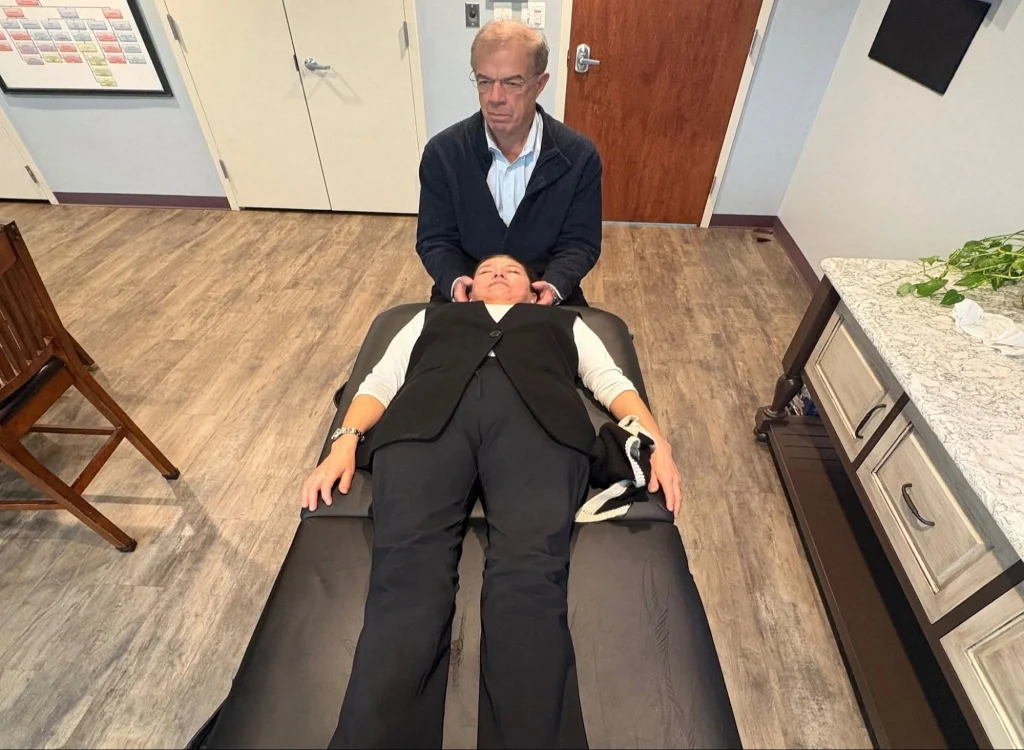
End TMJ Pain with Expert TMD Treatment in Falls Church, VA
Better workplace ergonomics can reduce daily strain on your jaw, but they can’t correct an underlying TMJ disorder. If jaw pain, headaches, clicking, or limited jaw movement continue despite improving your posture and workspace, it’s time for a professional evaluation.
At Sleep & TMJ Therapy, our TMJ specialist in Falls Church, VA, can identify the root cause of your pain and create a personalized treatment plan to provide lasting relief. If persistent TMJ symptoms are affecting your workday and quality of life, contact us today to take the first step toward lasting comfort.
Key Takeaways
- Poor workplace ergonomics can contribute to TMJ pain by increasing tension in the neck, shoulders, and jaw.
- Forward head posture (“tech neck”) places extra stress on the temporomandibular joint and surrounding muscles.
- Common office habits like looking down at a laptop, cradling a phone, and squinting at a screen can worsen TMJ symptoms.
- Proper monitor height, lumbar support, and regular movement breaks help reduce jaw strain throughout the workday.
- Ergonomic improvements can relieve daily stress on the TMJ, but they cannot correct an underlying TMJ disorder.
- If you experience persistent jaw pain, clicking, headaches, or limited jaw movement, seek an evaluation from Dr. Brown, a trusted TMJ specialist at Sleep & TMJ Therapy in Falls Church, VA.
Sources
- https://www.hopkinsmedicine.org/health/conditions-and-diseases/temporomandibular-disorder-tmd
- https://www.sleepandtmjtherapy.com/services/tmj-tmd-treatments-falls-church-va/
- https://www.mayoclinichealthsystem.org/hometown-health/speaking-of-health/effect-of-technology-on-your-neck
- https://www.verywellhealth.com/posterior-pelvic-tilt-297132
- https://my.clevelandclinic.org/health/diseases/10955-teeth-grinding-bruxism